Document Reader-PDF Launcher
Screenshots
What is Document Reader-PDF Launcher
Document Reader-PDF Launcher delivers fast, reliable PDF viewing and quick file-launch tools for on-the-go productivity. Download now to open documents instantly, annotate essentials, and streamline daily workflows.📌 Core Features
Fast PDF Rendering: High-performance engine opens large PDFs quickly and renders pages smoothly for swipe navigation. Optimized for low memory usage and quick startup. 🚀
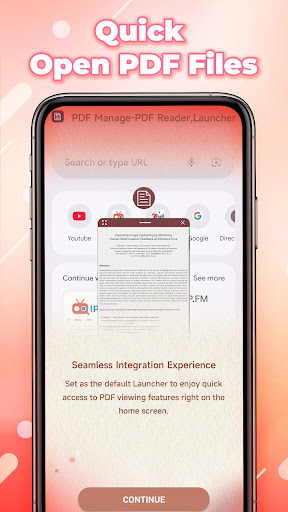
Quick Launch & Integration: One-tap launch from email, cloud apps, and file managers makes opening documents effortless. Works with common file types and supports associations for seamless workflow. 📂
Annotation Tools: Highlight, underline, add notes, and fill forms with responsive annotation tools that stay lightweight. Export annotated copies or share flattened PDFs without extra steps. ✏️
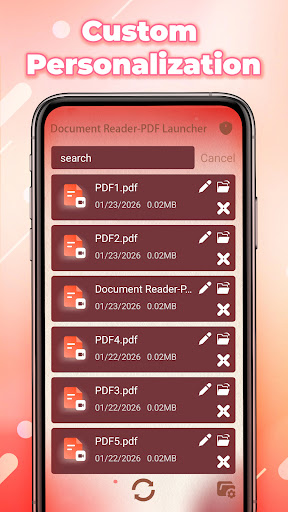
Search & Organization: Powerful text search, bookmarks, and custom folders simplify document retrieval. Tagging and recent-files view speed up repeat access. 🔍
Cloud Sync & Sharing: Optional cloud integration syncs documents across devices with manual or auto upload options. Share links or export to popular cloud services with simple permission controls. ☁️
👍🏼 Pros
Speed and Compatibility: Loads PDFs and common documents in seconds, even large files. Compatible with industry-standard formats for reliable sharing. ⚡
Intuitive Interface: Clean layout focuses on content and minimizes menu clutter for fast actions. Toolbars are customizable to keep essentials within reach. ✅
Low Storage Footprint: App stays small on device and caches intelligently to save space. Background processing minimizes battery drain during reading sessions. 💾
Robust Search: Full-text search indexes documents for instant results and supports phrase queries. Bookmarks and history improve navigation across projects. 🔎
Seamless Integrations: Connects with email, cloud providers, and Android share menu for one-step imports. Supports opening from external apps and recent file lists. 🔗
👎🏼 Cons
Limited Advanced Editing: No full-featured PDF editor for complex layout changes or OCR-intensive workflows. Basic annotations are solid but advanced editing requires external apps. 🛠️
Ads in Free Tier: Free version displays banner ads that may interrupt focus during reading. Ad removal requires an in-app purchase or subscription. 📢
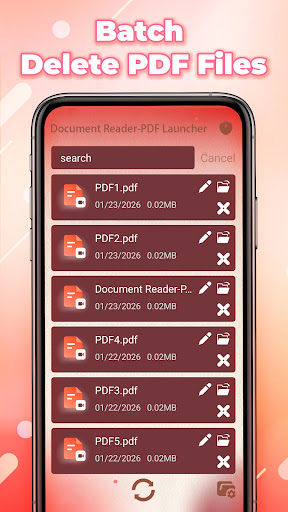
Subscription for Pro Features: Pro features like cloud sync, batch operations, and premium annotation tools are behind a subscription. Paywall could be a turn-off for occasional users. 💳
Occasional Sync Delays: Cloud syncing can lag on slow connections or with very large files. Manual refresh is often needed to ensure the latest version. ⏳
Optional Account Requirement: Certain features require sign-in, which may be a privacy concern for users avoiding cloud services. Local-only usage is supported but limits cross-device access. 🔐
💰 Prices
Free version available with ads and basic tools; download and start viewing PDFs at no cost. In-app purchases include a one-time pro unlock around $9.99 or a subscription at roughly $3.99/month or $29.99/year for cloud sync and premium features. Enterprise or bulk licensing options may be available for teams.