MapQuest: Get Directions
Screenshots
What is MapQuest: Get Directions
MapQuest: Get Directions delivers reliable navigation, voice-guided routing, and live traffic updates to keep drivers on the fastest path. Download now to route smarter and navigate confidently across the US with quick access to gas prices, stops, and multi-stop trips.
📌 Core Features
Turn-by-turn voice navigation: Clear voice prompts guide every turn and provide lane suggestions. ETA updates and automatic rerouting keep trips on track. 🧭
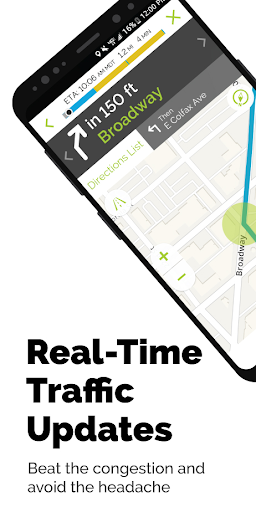
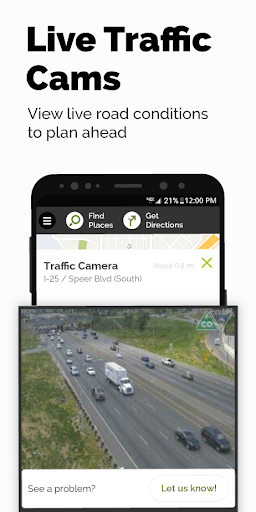
Live traffic and rerouting: Real-time traffic data adjusts routes to avoid slowdowns and accidents. Automatic rerouting finds faster alternatives and updates ETAs instantly. 🚦
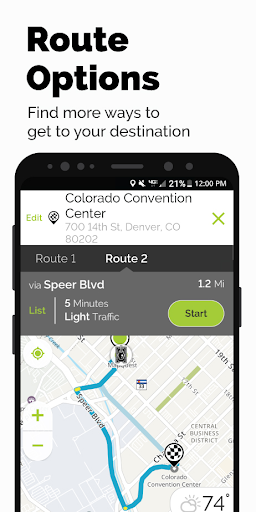
Route customization options: Choose fastest, shortest, or avoid highways and tolls to match driving preferences. Multi-stop optimization helps plan errands and road trips efficiently. 🛣️
Nearby places and gas price search: Search for restaurants, coffee, and gas along the route with price comparisons at nearby pumps. Built-in reviews and hours make quick stops simple. ⛽
Integration and sharing: Send routes to other devices, share ETA with contacts, and integrate with phone car modes for hands-free use. Calendar and contact integration streamline trip planning. 📲
👍🏼 Pros
Free to start: Basic navigation and local search available without charge so drivers can get going immediately. Ads support the service with optional upgrades to remove them. 💸
Simple, intuitive interface: Clean maps and large buttons make in-car use safe and straightforward. Quick access to routing options reduces distraction while driving. 🗺️
Accurate ETA and traffic handling: Timely rerouting and clear ETAs help avoid delays during commute hours. Traffic incident alerts aid proactive route changes. ⏱️
Useful extras for road trips: Multi-stop planning and points-of-interest discovery support longer drives and weekend getaways. Gas price comparisons help save money on long routes. 🧳
Interoperability with car systems: Works with Bluetooth, Android Auto, and Apple CarPlay for hands-free navigation. Voice guidance and screen mirroring keep focus on the road. 🔌
👎🏼 Cons
Ad-supported free tier: Ads can be intrusive on the map and in route results, interrupting the in-app experience. An ad-free subscription is available but requires payment. 📢
Occasional routing quirks: Some complex intersections or new roads can produce imperfect directions that need manual correction. Reporting tools help improve future routing but require user input. ⚠️
Limited offline functionality: Offline map options are less robust than competitors, making long drives through no-service areas challenging. Reliance on live data means planning ahead is recommended. 📴
Privacy trade-offs: Location tracking and search history are used to improve directions and personalized suggestions. Privacy settings exist but may require effort to limit data collection. 🔒
Feature parity across platforms: Some features vary between iOS and Android versions or web interface, causing inconsistent experiences. Regular updates close gaps but expect occasional differences. 🔁
💰 Prices
Free with ads; optional in-app purchases for ad-free and premium features start around $2.99/month or $29.99/year. Enterprise or commercial route planning tools may carry separate fees.
Similar Apps