Move to iOS
Screenshots
What is Move to iOS
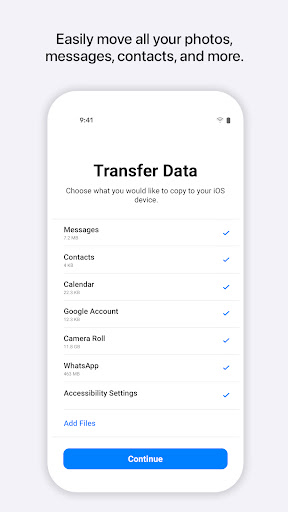
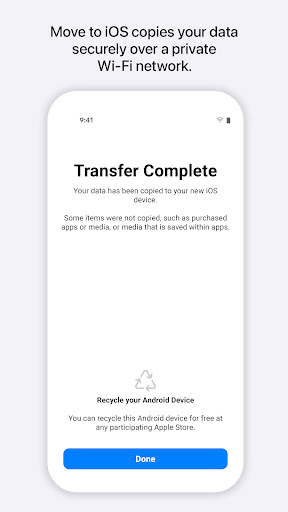
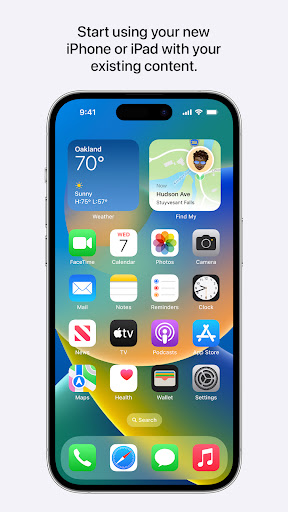
Switching from Android to iPhone is fast and confident with Move to iOS. Start a streamlined transfer of contacts, message history, photos, and more during iPhone setup and get the new device ready in minutes.
📌 Core Features
Device-to-device transfer: Transfers contacts, message history, photos, videos, and camera roll directly from Android to iPhone during setup for a one-step move. Uses a private Wi-Fi connection and local transfer to avoid cloud intermediaries. 📡
App suggestions and links: Matches Android apps to their iOS equivalents and lists free options in the App Store for quick reinstallation. Paid apps are not transferred and must be repurchased if available on iOS. 🛒
Message and media migration: Moves SMS, MMS, and attachments into the iPhone Messages app when performed during initial setup. Large media libraries require time and stable connection for complete transfer. 📸
Secure transfer process: Establishes an encrypted connection between devices for the duration of the migration to protect data in transit. No third-party servers are used to hold transferred content. 🔐
Account and settings help: Prompts for Google account sign-in and offers to set up basic settings on the iPhone to mirror Android preferences. Some account-specific data, like app passwords, may require manual re-entry. ⚙️
👍🏼 Pros
Fast initial setup: Speeds up getting a new iPhone into daily use by moving core data during setup. Reduces manual copying and saves setup time. ⚡
Broad content coverage: Handles contacts, calendars, photos, videos, message history, and basic accounts in a single workflow. Limits on some file types exist but core items transfer reliably. ✅
Simple, guided flow: Clear, step-by-step instructions guide through the transfer with on-screen prompts and status updates. Designed for non-technical users to complete without extra tools. 🎯
No extra cost: Available free to download and use with no subscription required, making it accessible for all switchers. Eliminates the need for paid migration utilities for basic transfers. 🔓
Improves data privacy: Uses local, encrypted connections and does not store user data on external servers during transfer. Keeps sensitive data off third-party infrastructure. 🛡️
👎🏼 Cons
Only during new iPhone setup: Migration must occur while the iPhone is being set up for the first time or after a factory reset, not on an already configured device. This can force a reset if setup was already completed. 🔁
Apps and purchases not transferred: Paid apps, subscriptions, and some app-specific data are not moved and may require repurchase or manual migration. In-app data and saved account states may be lost. 💸
Compatibility and version limits: Requires compatible Android OS versions and sufficient device storage to create the transfer session. Older Android devices or heavily customized phones may face issues. 📶
Large libraries take time: Extensive photo, video, or message archives can extend transfer time significantly and require a stable Wi-Fi connection. Interruptions may necessitate restarting the process. ⏳
Some data types restricted: Passwords, DRM-protected music, and certain app data are excluded from migration and need manual handling or re-download. Users should verify critical data after transfer. 🧩
💰 Prices
Free to download from the Google Play Store with no in-app purchases or subscriptions required for the transfer tool. Paid content such as apps, subscriptions, or DRM-protected media may still require repurchase or separate migration steps.
Similar Apps